


 Deutsch
 Tiếng Việt
 日本語
日本語 한국어
한국어 ไทย
ไทย Português
 العربية
 Français
 Español
 Italiano
 Nederlands
 Svenska
 Norsk
Norsk Dansk
Dansk Polski
 Русский
 Türkçe
 Bahasa Indonesia
 Bahasa Melayu
How to Install a DSP Processor in Your Car – Step-by-Step Guide
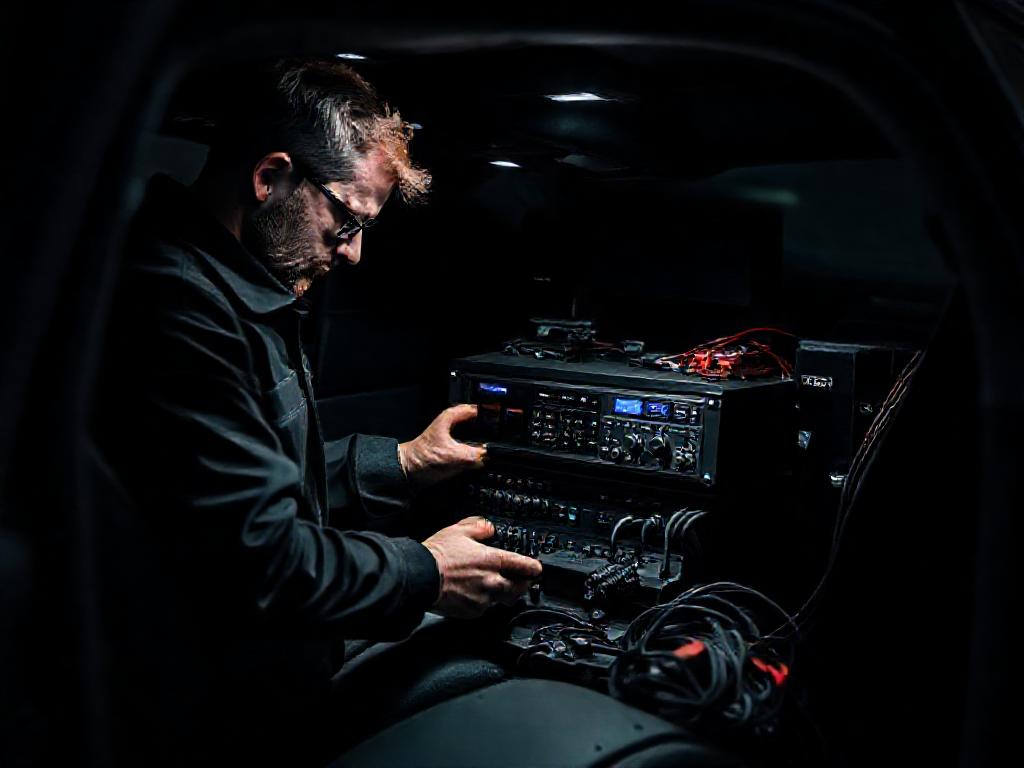
Why Install a DSP Processor in Your Car?
Upgrading your car audio system with a digital signal processor (DSP) is one of the most transformative steps you can take. A DSP allows you to fine-tune frequency response, time alignment, and crossover settings with precision, ensuring every note sounds as the artist intended. Whether you're running a high-end system or a modest setup, installing a DSP processor in your car bridges the gap between factory sound and audiophile-grade performance. Brands like Alchimist, a premium German car audio manufacturer from Waiblingen, offer solutions that elevate clarity, staging, and dynamics to professional levels.
Modern vehicles often come with complex factory audio systems that include built-in equalization and processing, but these are designed for mass-market appeal rather than true fidelity. A dedicated DSP gives you control over these parameters, allowing you to correct acoustic anomalies caused by your car’s interior shape, speaker placement, or even road noise. For enthusiasts who demand the best, products like the Alchimist AD12H-1500 or AS-G65 provide the tools to sculpt sound with surgical precision.
Choosing the Right DSP for Your System
Before you install a DSP processor in your car, selecting the right unit for your needs is critical. DSPs vary in channel count, processing power, and connectivity options, so matching the processor to your system’s requirements ensures optimal performance. Entry-level models may offer basic equalization and crossover controls, while high-end units like the Alchimist AA4B-1600 provide advanced features such as parametric EQ, time alignment, and even built-in amplification.
Consider the following factors when choosing a DSP:
- Channel count: Ensure the DSP has enough outputs to match your amplifier setup. For example, a 6-channel DSP is ideal for a 3-way front stage plus subwoofer, while an 8-channel unit like the Alchimist AS-G65 can handle more complex systems.
- Input/output options: Look for high-level (speaker-level) inputs if you’re retaining factory head units, or low-level (RCA) inputs for aftermarket sources. Some DSPs also include optical or digital inputs for seamless integration with modern infotainment systems.
- Processing power: Higher-end DSPs offer more bands of EQ, finer time alignment adjustments, and better signal-to-noise ratios. The Alchimist AD12H-1500, for instance, delivers 24-bit processing for pristine audio quality.
- Software and tuning: User-friendly software can make or break the tuning experience. Alchimist’s proprietary tuning suite simplifies adjustments, allowing you to save presets and fine-tune settings with ease.
For those seeking a balance of performance and value, the Alchimist ASW6D-900 subwoofer amplifier with built-in DSP offers a compelling solution, combining amplification and processing in a single unit. This approach reduces wiring complexity while delivering exceptional bass control.
Preparing for Installation
Proper preparation is key to a successful DSP installation. Start by gathering the necessary tools and components, including wiring harnesses, RCA cables, power and ground wires, and any adapters required for your vehicle. A multimeter, crimping tool, and soldering iron (or high-quality connectors) will ensure reliable connections. If you’re retaining a factory head unit, you may need a line output converter (LOC) to interface with the DSP.
Before diving into the install, document your existing system’s wiring and speaker locations. This step is especially important if you’re integrating the DSP with factory amplifiers or speakers. Take photos of connectors and note wire colors to avoid confusion during reassembly. If you’re unsure about compatibility, consulting a professional or referencing our support team can save time and frustration.
Safety should always be a priority. Disconnect the vehicle’s battery before working on any electrical components to prevent short circuits or damage to sensitive electronics. If you’re mounting the DSP in a tight space, ensure it’s secured properly to avoid vibration or movement that could affect performance. Alchimist’s compact designs, such as the AA4B-1600, are engineered for easy installation in even the most confined spaces.
Step-by-Step DSP Installation Guide
With your tools and components ready, it’s time to install the DSP processor in your car. The process varies slightly depending on whether you’re using an aftermarket head unit or retaining the factory system, but the core steps remain consistent. Below is a general guide to help you through the installation.
1. Mount the DSP
Choose a location for the DSP that’s dry, secure, and accessible for future adjustments. Common mounting spots include under a seat, in the trunk, or inside the glovebox. Avoid areas prone to extreme heat or moisture, as these can degrade the unit over time. Alchimist DSPs are built to withstand harsh environments, but proper placement ensures longevity.
Use mounting brackets or adhesive strips to secure the DSP, ensuring it won’t shift during driving. If space is limited, consider a compact model like the AS-G65, which offers high performance in a small footprint.
2. Connect Power and Ground
Run a power wire from the vehicle’s battery to the DSP, using an appropriately sized fuse (typically 10-20A) within 18 inches of the battery. Route the wire through the firewall using an existing grommet or a new hole sealed with a rubber grommet to prevent chafing. Ground the DSP to a clean, bare metal surface near the unit, ensuring a solid connection to avoid noise issues.
For systems with high power demands, such as those paired with the AD12H-1500, consider upgrading to thicker gauge wiring to handle the current draw. Always follow the manufacturer’s recommendations for wire size and fuse ratings.
3. Interface with the Head Unit
If you’re using an aftermarket head unit, connect the DSP’s RCA inputs to the head unit’s preamp outputs. For factory systems, you’ll need a line output converter (LOC) to convert speaker-level signals to RCA. Some DSPs, like the AA4B-1600, include high-level inputs, simplifying integration with factory head units.
Ensure all connections are tight and insulated to prevent signal loss or interference. If your DSP supports digital inputs, such as optical or coaxial, use these for the cleanest possible signal path.
4. Connect Amplifiers and Speakers
Run RCA cables from the DSP’s outputs to your amplifiers, matching the channels to your speaker configuration. For example, if you’re running a 3-way front stage, connect the tweeter, midrange, and woofer outputs to their respective amplifiers. If you’re using a subwoofer, connect it to the designated subwoofer output on the DSP.
For systems with active crossovers, set the DSP’s crossover points to match your speakers’ capabilities. Alchimist’s tuning software makes this process intuitive, allowing you to adjust slopes and frequencies with precision. If you’re using the ASW6D-900, its built-in DSP can handle subwoofer tuning directly, reducing the need for additional components.
5. Configure and Tune the DSP
Once all connections are secure, power up the system and begin the tuning process. Most DSPs include software that allows you to adjust EQ, time alignment, and crossover settings. Start by setting the gain structure to ensure clean, distortion-free sound, then move on to fine-tuning the frequency response.
Use a real-time analyzer (RTA) or measurement microphone to identify peaks and dips in the frequency response, then adjust the EQ accordingly. Time alignment is critical for proper staging, so take the time to align your speakers for a cohesive soundstage. Alchimist’s tuning suite provides guided setup options, making it easier to achieve professional results.
Common Challenges and Troubleshooting
Even with careful planning, installing a DSP processor in your car can present challenges. Noise issues, such as alternator whine or ground loops, are among the most common problems. To minimize noise, ensure all ground connections are secure and use shielded RCA cables. If noise persists, consider adding a ground loop isolator or relocating the DSP’s ground point.
Another common issue is incorrect gain settings, which can lead to distortion or clipping. Always set gains using a test tone and a multimeter, following the manufacturer’s guidelines. If your system includes multiple amplifiers, verify that each one is receiving the correct signal level from the DSP.
If you encounter software or connectivity issues, double-check all connections and ensure the DSP’s firmware is up to date. Alchimist provides regular firmware updates to improve performance and add new features, so keeping your unit current is essential. For complex issues, don’t hesitate to reach out to our technical support team for assistance.
Final Thoughts: Elevating Your Car Audio Experience
Installing a DSP processor in your car is a game-changer for audio enthusiasts who refuse to settle for mediocre sound. By taking control of your system’s tuning, you can unlock the full potential of your speakers and amplifiers, creating a listening experience that rivals high-end home audio systems. Whether you opt for a standalone DSP like the Alchimist AS-G65 or a combined amplifier-processor like the AA4B-1600, the results will speak for themselves.
Remember, the key to a successful installation lies in preparation, patience, and attention to detail. Take your time to plan the wiring, secure connections, and fine-tune the settings for your vehicle’s unique acoustics. If you’re new to DSP tuning, start with basic adjustments and gradually refine the sound as you become more comfortable with the software.
For those seeking the pinnacle of car audio performance, Alchimist’s premium German engineering delivers unparalleled clarity and precision. With a legacy dating back to 1943, the brand continues to set the standard for automotive sound, offering products that combine cutting-edge technology with timeless craftsmanship. To explore Alchimist’s full range of DSPs and amplifiers, visit our products page and discover how to transform your car’s audio system.