


 Deutsch
 Tiếng Việt
 日本語
日本語 한국어
한국어 ไทย
ไทย Português
 العربية
 Français
 Español
 Italiano
 Nederlands
 Svenska
 Norsk
Norsk Dansk
Dansk Polski
 Русский
 Türkçe
 Bahasa Indonesia
 Bahasa Melayu
Upgrade Your Car Head Unit: Expert Tips for Better Sound & Features
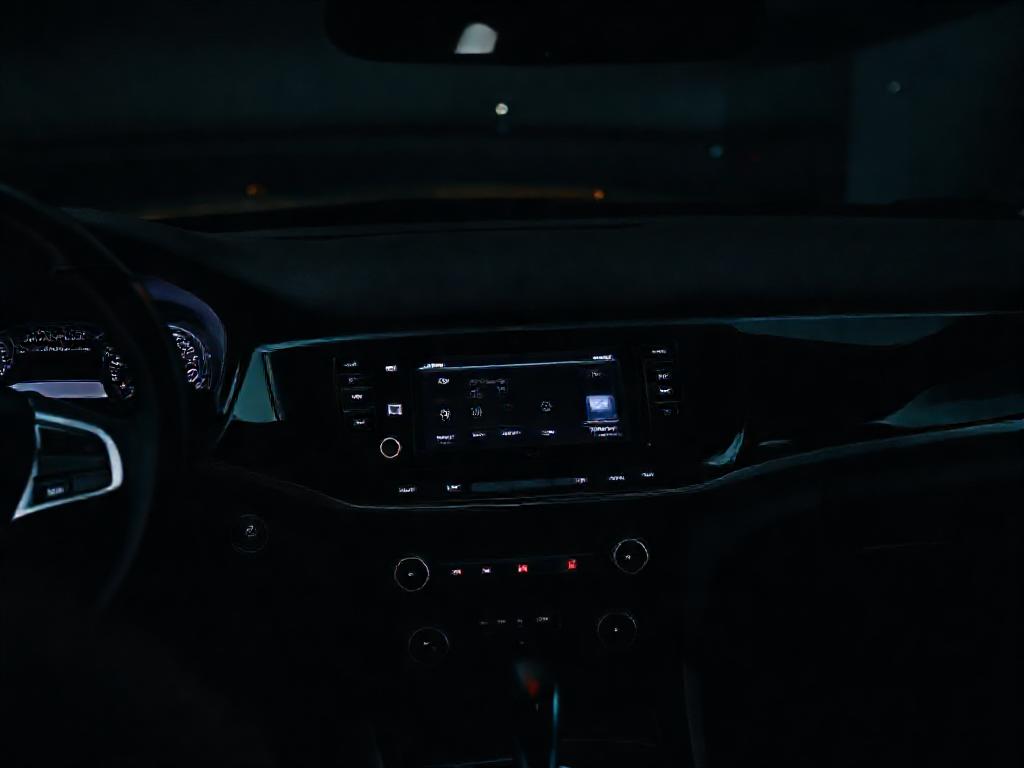
Upgrading your car head unit is one of the best ways to enhance your driving experience. Whether you're looking for better sound quality, modern connectivity, or advanced features like Apple CarPlay and Android Auto, a new car head unit can transform your vehicle’s infotainment system. In this guide, we’ll cover everything you need to know to upgrade your car head unit seamlessly, from compatibility checks to expert installation tips.
Why Upgrade Your Car Head Unit?
Upgrading your car head unit is one of the most impactful modifications you can make to your vehicle's audio system. A modern head unit not only enhances sound quality but also brings advanced features like Bluetooth connectivity, Apple CarPlay, Android Auto, and high-resolution audio playback. Whether you're a casual listener or an audiophile, a new head unit can transform your driving experience.
Factory head units often lack the power and flexibility needed for premium sound systems. They may have limited equalizer settings, poor digital-to-analog converters (DACs), and outdated connectivity options. By choosing to upgrade your car head unit, you gain control over your audio system's performance, allowing for better tuning and customization.
Additionally, modern head units offer improved safety features, such as hands-free calling and voice control. These upgrades can make your daily commute more enjoyable and convenient while keeping your focus on the road.
Choosing the Right Head Unit for Your Vehicle
Compatibility Considerations
Before purchasing a new head unit, ensure it’s compatible with your vehicle’s make, model, and year. Not all head units fit every car, so check the following:
- Size: Head units come in single-DIN (2-inch tall) or double-DIN (4-inch tall) sizes. Measure your current unit to determine which size you need.
- Wiring Harness: Some vehicles require specific wiring harnesses or adapters to connect the new head unit to the car’s electrical system.
- Steering Wheel Controls: If your car has steering wheel audio controls, you may need an adapter to retain this functionality.
- Dash Kit: A dash kit ensures the new head unit fits securely in your vehicle’s dashboard without gaps or misalignment.
Key Features to Look For
When selecting a head unit, prioritize features that align with your needs. Here are some essential considerations:
- Connectivity: Look for Bluetooth, USB, and auxiliary inputs for seamless device integration. Wireless Apple CarPlay and Android Auto are must-haves for smartphone users.
- Audio Quality: High-quality DACs and built-in amplifiers ensure better sound reproduction. Some units support FLAC, WAV, and other lossless audio formats.
- Display: Touchscreen displays with high resolution and responsive interfaces enhance usability. Consider screen size and brightness for visibility in all lighting conditions.
- Expandability: If you plan to add amplifiers, subwoofers, or other components later, choose a head unit with preamp outputs (RCA or optical).
- Navigation: Built-in GPS navigation can be a valuable feature, especially if your vehicle lacks this capability.
Preparing for Installation
Gather the Right Tools
Installing a new head unit requires specific tools to ensure a smooth process. Here’s what you’ll need:
- Screwdrivers (Phillips and flathead)
- Panel removal tools (plastic pry tools to avoid damaging dash panels)
- Wire strippers and crimpers
- Electrical tape or heat shrink tubing
- Multimeter (for testing connections)
- Dash kit and wiring harness adapter (vehicle-specific)
Disconnect the Battery
Before starting the installation, disconnect the negative terminal of your car’s battery. This prevents electrical shorts and protects both you and your vehicle’s electronics. Always double-check that the battery is disconnected before handling any wiring.
Remove the Old Head Unit
Carefully remove the trim panels around the head unit using panel removal tools. Unscrew the mounting bolts or release the clips holding the unit in place. Gently pull the head unit out and disconnect the wiring harness and antenna cable. Keep the old unit and its mounting hardware in case you need to reinstall it later.
Installing Your New Head Unit
Connect the Wiring Harness
Most new head units come with a wiring harness that matches the unit’s connectors. Use a vehicle-specific wiring harness adapter to connect the new harness to your car’s existing wiring. This adapter ensures a plug-and-play installation, reducing the risk of wiring errors.
If your vehicle requires additional adapters (e.g., for steering wheel controls or factory amplifiers), connect these as well. Follow the wiring diagram provided with your head unit and adapter to ensure proper connections.
Mount the New Head Unit
Attach the dash kit to the new head unit, then slide the unit into the dashboard opening. Secure it with the mounting bolts or clips provided. Ensure the unit is level and flush with the dashboard for a professional look.
Reconnect the battery and turn on the head unit to test its functionality. Check all features, including radio, Bluetooth, USB, and any other inputs. If everything works correctly, reassemble the trim panels around the head unit.
Post-Installation Tips for Optimal Performance
Calibrate Your Audio Settings
After installing your new head unit, take the time to calibrate the audio settings. Most units come with built-in equalizers and sound processing features. Adjust the bass, treble, and midrange settings to suit your preferences, or use preset EQ modes for different music genres.
If your head unit supports time alignment or crossover settings, configure these to optimize sound staging and clarity. Proper calibration ensures you get the best possible sound from your upgraded system.
Integrate Additional Components
If you plan to expand your audio system with amplifiers, subwoofers, or speakers, now is the time to integrate them. Connect these components to the head unit’s preamp outputs, ensuring proper grounding and power distribution. Use high-quality RCA cables and speaker wire for the best results.
For advanced setups, consider adding a digital signal processor (DSP) to fine-tune your system’s performance. A DSP allows for precise control over frequency response, time alignment, and crossover settings, taking your audio experience to the next level.
Update Firmware and Software
Many modern head units receive firmware updates to improve performance and add new features. Check the manufacturer’s website for updates and follow the instructions to install them. Keeping your head unit’s software up to date ensures compatibility with the latest apps and devices.
Recommended Brands and Final Thoughts
When choosing a head unit, consider reputable brands known for quality and innovation. Brands like Alchimist offer premium options with advanced features, high-quality DACs, and seamless integration with modern vehicles. Alchimist’s product line, for example, includes units with cutting-edge connectivity and superior sound processing, making them an excellent choice for audiophiles.
Upgrading your car head unit is a worthwhile investment that enhances both sound quality and convenience. By following these integration tips, you can ensure a smooth installation process and enjoy a superior audio experience on the road. Whether you’re a DIY enthusiast or prefer professional installation, the right head unit can make all the difference.
Take your time to research and choose a unit that fits your needs, and don’t hesitate to seek expert advice if needed. With the right setup, your car’s audio system can rival even the best home audio systems.
For more details on our car head unit products, visit our Products Page. Need professional installation? Contact our team here for expert assistance.